
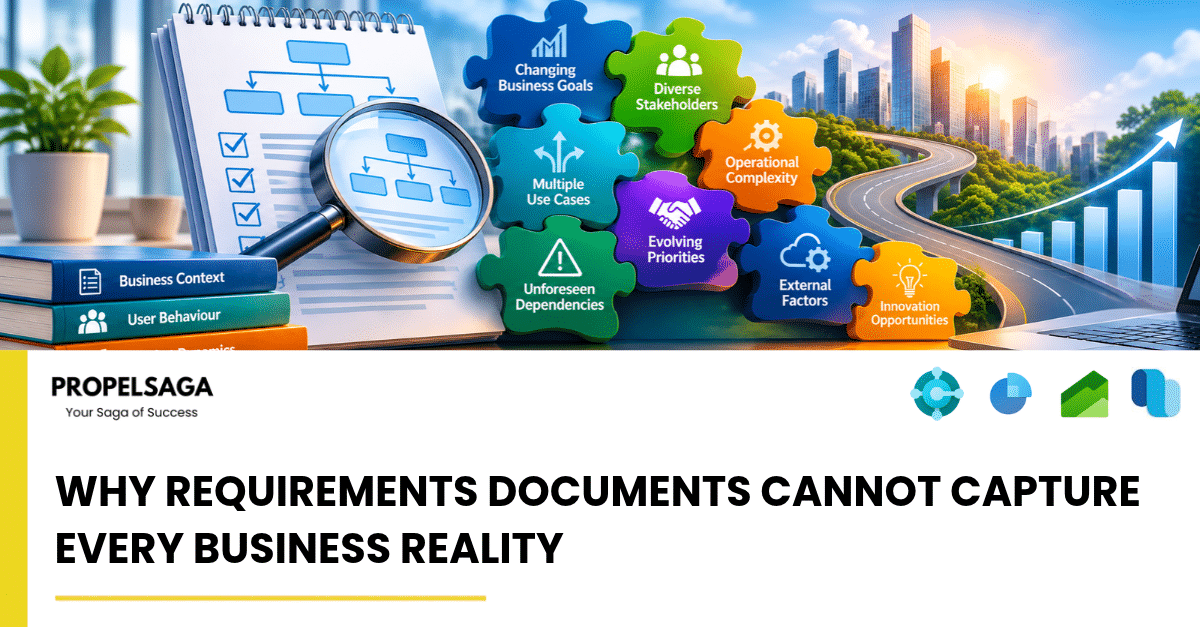
Every successful technology implementation begins with an understanding of business requirements. Before implementing an ERP, CRM, or any enterprise application, organizations invest considerable time documenting processes, defining workflows, identifying business needs, and agreeing on expected outcomes.
Requirements documents provide structure and direction. They help implementation teams understand what a business expects from the system and establish a common reference point for project execution.
However, there is one fundamental limitation: a business is far more complex than what can be captured in a document.
A requirements document describes how people believe a process works, how they expect it to work, and what they want a system to achieve. But actual business operations often involve exceptions, informal decisions, dependencies, human judgment, and situations that are difficult to anticipate during initial discussions.
This is why even well-documented projects can encounter unexpected challenges during implementation.
1. Documented Processes and Actual Processes Are Not Always the Same
One of the biggest challenges in enterprise implementations is the difference between documented workflows and the way employees actually perform their daily activities.
For example, a company may document a standard purchase approval process:
- A purchase requisition is created.
- The department manager reviews it.
- Finance approves the budget.
- A purchase order is generated.
- Goods are received and invoices are processed.
On paper, the process looks straightforward.
In reality, the purchasing team might occasionally make emergency purchases over the phone, managers may approve requests through emails, or finance may follow additional verification steps for specific suppliers.
These activities may never appear in the original requirements document.
When the implementation team configures the system strictly around documented workflows, these operational realities can become obstacles.
The lesson: Understanding a business requires observing how work actually happens, not just reviewing how it is documented.
2. Business Exceptions Are Difficult to Predict
Most requirements documents focus on standard business scenarios. This is understandable because standard processes represent the majority of daily transactions.
However, businesses are often tested by exceptions rather than routine activities.
Consider an inventory management process.
A standard requirement may specify that inventory is received, recorded, stored, and issued against sales orders.
But what happens when:
- Goods arrive in damaged condition?
- A supplier delivers only part of an order?
- Inventory is received without complete documentation?
- A customer urgently requires stock reserved for another order?
- The physical inventory does not match system inventory?
These situations introduce additional business rules and decisions.
The challenge is not necessarily that the requirements document is incomplete. It is that some scenarios only become visible when the system encounters real operational conditions.
A good implementation approach must therefore account for both standard workflows and exception handling.
3. Business Knowledge Often Exists Outside Formal Documentation
In many organizations, critical business knowledge resides with experienced employees rather than in process documents.
An accounts manager may know which suppliers consistently submit incorrect invoices. A warehouse supervisor may understand why certain products require special handling. A sales manager may know which customers need additional approval before credit limits are extended.
This knowledge is developed through years of experience.
It is rarely documented in complete detail because employees consider many of these decisions part of their normal responsibilities.
When an ERP or CRM implementation begins, these informal practices can suddenly become important.
If the implementation team does not identify them, the resulting solution may technically satisfy the documented requirements but fail to support the way employees actually work.
This makes stakeholder involvement particularly important. Discussions should extend beyond senior management and include the people who execute business processes every day.
4. Business Priorities Change During Implementation
Requirements are generally gathered at a particular point in time.
However, businesses do not remain static while technology projects are being implemented.
During a six-month ERP implementation, an organization may:
- Enter a new geographical market.
- Introduce new products or services.
- Change its pricing strategy.
- Restructure departments.
- Acquire another business.
- Modify its approval hierarchy.
These changes can influence previously agreed requirements.
For example, a company initially planning to operate from one warehouse may decide to introduce two additional warehouses during implementation.
This changes inventory management, warehouse operations, stock transfers, reporting, and potentially financial processes.
The original requirements may have been perfectly valid when documented. The business environment has simply evolved.
This is why requirements management should be an ongoing activity rather than a one-time project milestone.
5. Dependencies Between Business Processes Are Often Overlooked
Business processes rarely operate independently.
A seemingly small requirement in one department can have consequences across several other departments.
Consider a change in customer credit management.
At first glance, it may appear to be a finance-related requirement. However, it can influence:
- Sales order processing.
- Customer service operations.
- Credit approval workflows.
- Accounts receivable.
- Sales reporting.
- Cash flow forecasting.
Similarly, changing an inventory valuation method can affect financial reporting, costing, stock valuation, and profitability analysis.
When requirements are documented department by department, these dependencies can easily be overlooked.
An effective implementation team must understand the bigger business picture and evaluate how changes in one process affect the wider system.
6. Users Discover Their Real Requirements When They See the System
There is another interesting reality about technology implementations: users do not always know exactly what they need until they see how the proposed solution works.
During requirement gathering, users describe their expectations based on their existing processes and previous experiences.
However, when they interact with a configured system, they may discover:
- A process requires more steps than expected.
- An approval workflow is too complicated.
- A report does not provide the required visibility.
- An existing manual activity can be automated.
- A standard system feature offers a better way to perform a task.
For example, a finance team may initially request a customized report to track outstanding customer balances.
During system demonstrations, they may discover that standard aging reports, customer statistics, and analytical views already address most of their requirements.
This highlights an important point: requirements gathering should not be limited to asking users what they want. It should also involve demonstrating possibilities and helping users understand what the technology can offer.
7. Standard Software Cannot Always Be Evaluated Through Documents Alone
Enterprise applications such as Microsoft Dynamics 365 Business Central, Dynamics 365 Finance, and Dynamics 365 Customer Engagement offer extensive standard capabilities.
However, organizations sometimes approach implementations with the expectation that every existing process must be replicated exactly as it currently operates.
This can result in unnecessary customization.
For example, a business may request a customized approval process without realizing that the standard application already provides configurable approval workflows.
In other situations, a standard feature may not fully address a genuine business requirement.
The implementation team must evaluate each requirement carefully:
- Can the standard functionality address the requirement?
- Does the business need to change its existing process?
- Is configuration sufficient?
- Is customization genuinely necessary?
- What are the long-term maintenance implications?
The objective should not be to replicate every existing activity in a new system. It should be to build a solution that supports business objectives while making sensible use of standard technology.
8. Why Continuous Validation Matters More Than Perfect Documentation
Since no requirements document can anticipate every business scenario, continuous validation becomes essential.
Rather than treating requirement documentation as a final authority, implementation teams should use it as a foundation for ongoing discussions and validation.
Some practical approaches include:
Process walkthroughs: Observe actual business operations and compare them with documented workflows.
Stakeholder workshops: Involve employees from different departments to identify operational dependencies and exceptions.
System demonstrations: Show users how requirements translate into actual application functionality.
Scenario-based testing: Test standard transactions as well as unusual business situations.
User Acceptance Testing (UAT): Allow actual users to validate whether the configured solution supports their operational needs.
Change management: Evaluate new requirements, assess their impact, and agree on priorities before implementing changes.
These activities help bridge the gap between what was initially documented and what the business actually needs.
The Role of Implementation Partners
A successful technology implementation requires more than technical expertise and accurate documentation.
It requires the ability to understand business operations, ask the right questions, identify hidden dependencies, challenge unnecessary customization, and adapt when new information emerges.
This is where an experienced Microsoft Dynamics 365 implementation partner adds significant value.
At PropelSaga, we believe successful Microsoft Dynamics 365 projects begin with understanding the business behind the requirements.
Our approach focuses on:
- Understanding operational workflows beyond documented requirements.
- Identifying process gaps and dependencies.
- Evaluating standard Microsoft Dynamics 365 capabilities before recommending customization.
- Engaging business stakeholders throughout implementation.
- Validating solutions through practical scenarios and UAT.
- Supporting partners with functional and technical expertise across Microsoft Dynamics 365 Business Central, Finance & Operations, and other Business Applications.
Our objective is to help Microsoft partners deliver solutions that work not just during demonstrations, but in real business environments.
Conclusion: Documentation Defines the Starting Point, Not the Entire Journey
Requirements documents are essential to every structured technology project. They establish expectations, provide direction, and reduce ambiguity.
But they should never be mistaken for a complete representation of business reality.
Businesses operate through a combination of formal processes, informal decisions, human experience, exceptions, and constantly evolving priorities.
No document can capture all of these dimensions perfectly.
The real strength of an implementation team lies not in following a requirements document blindly, but in understanding its intent, questioning assumptions, identifying missing perspectives, and continuously validating the solution.
Because the success of an ERP or CRM implementation is not determined by how accurately a system follows a document. It is determined by how effectively that system supports the business.