
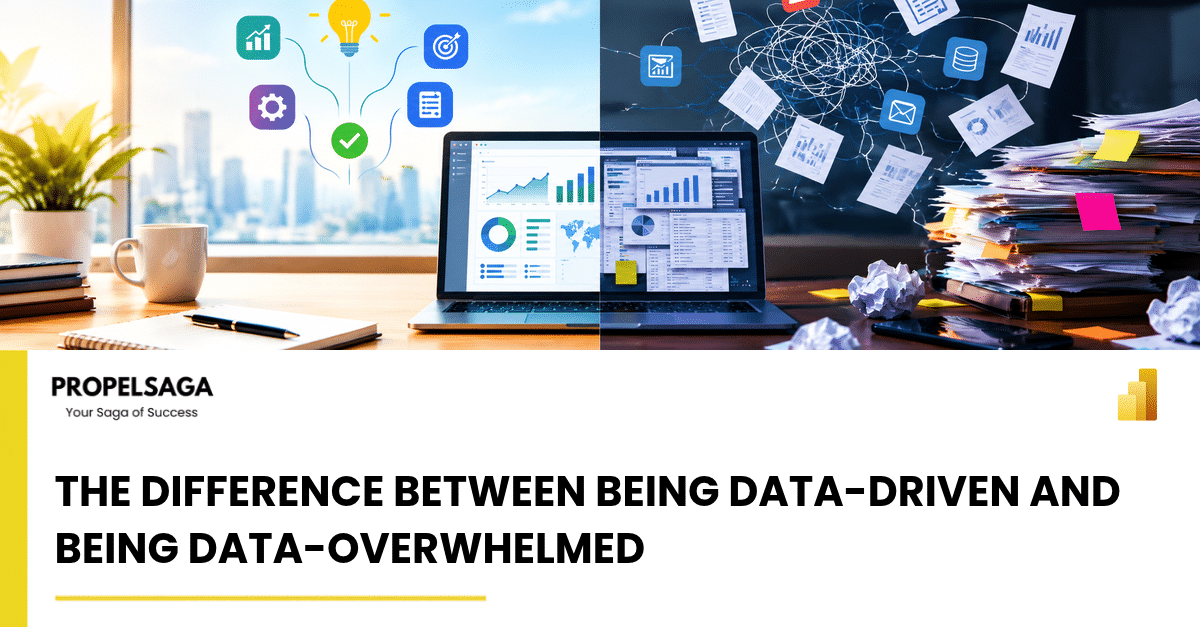
More data does not automatically lead to better decisions. The real advantage lies in knowing which numbers deserve your attention.
Modern businesses have access to more data than ever before. ERP systems track financial transactions, CRM platforms capture customer interactions, Power BI dashboards visualize performance, and AI tools generate insights from enormous volumes of information.
Yet, despite this abundance, many organizations still struggle to answer some fundamental questions:
- Which customers are becoming less profitable?
- Where is operational efficiency declining?
- Which business risks require immediate attention?
- What action should we take based on the information available?
The problem is not always a lack of data. Often, it is the inability to distinguish meaningful insights from informational noise.
This is where the difference between being data-driven and being data-overwhelmed becomes critical.
1. When More Information Creates Less Clarity
Imagine a business leader who starts every morning reviewing multiple dashboards. Sales figures, revenue forecasts, inventory reports, customer satisfaction scores, project utilization, overdue payments, and dozens of other metrics compete for attention.
The organization is measuring everything, but the leader still struggles to identify what needs to change.
This is data overload.
It happens when the volume, complexity, or frequency of information exceeds an organization's ability to interpret it and act on it effectively.
Data-driven organizations approach the same situation differently. Instead of asking, "What information can we collect?" they ask, "What decision are we trying to improve?"
That simple shift changes how data is collected, presented, and used.
2. Data-Driven vs. Data-Overwhelmed: What Is the Difference?
| Data-driven organization | Data-overwhelmed organization |
| Starts with business objectives | Starts with available reports |
| Tracks a focused set of meaningful KPIs | Tracks too many metrics |
| Connects data to decisions and actions | Treats reporting as the final outcome |
| Investigates exceptions and root causes | Spends time reviewing every number |
| Assigns ownership for corrective action | Assumes someone will act on the insight |
| Measures whether decisions improve results | Measures success by dashboards and reports produced |
The distinction is not about how much data a company possesses. It is about how effectively that data supports business outcomes.
3. The Problem with Measuring Everything
Metrics are useful, but every metric carries a cost. Someone must collect it, validate it, interpret it, and decide whether it matters.
When organizations continuously add KPIs without removing outdated ones, reporting becomes increasingly complicated.
Consider a sales team using Microsoft Dynamics 365 Sales.
The system can capture leads, opportunities, customer activities, conversion rates, pipeline values, sales-cycle duration, and forecast accuracy. Each metric provides information, but not every metric deserves equal attention at every moment.
If the sales manager spends hours reviewing activity counts while ignoring declining conversion rates or opportunities that have remained inactive for weeks, the business may have excellent reporting and poor decision-making.
The solution is not to stop measuring. It is to prioritize.
A useful starting point is to organize metrics into three categories:
- Outcome metrics: What business result are we achieving? For example, revenue growth, gross margin, or customer retention.
- Diagnostic metrics: Why is that result changing? For example, declining conversion rates, increasing delivery costs, or longer sales cycles.
- Action metrics: What can we change? For example, re-engaging stalled opportunities, reviewing pricing, or addressing recurring delivery delays.
This approach connects performance measurement to a clear sequence: understand the result, identify the cause, and determine the response.
4. From Reporting Numbers to Understanding Business Performance
Data becomes valuable when it explains something that would otherwise remain hidden.
Consider an organization using Microsoft Dynamics 365 Business Central to manage finance, purchasing, inventory, and sales.
A traditional report might show that revenue increased by 15% this quarter. On the surface, this looks positive.
However, a deeper analysis might reveal that operating costs increased by 22%, inventory is accumulating, and customer payment cycles are getting longer.
Revenue is growing, but profitability and cash flow may be under pressure.
Without connecting financial and operational information, management might celebrate a result that conceals emerging risks.
This is why business intelligence should move beyond describing what happened. It should help explain why it happened, what might happen next, and which actions are available.
The goal is not to create more reports. It is to build a clearer understanding of business performance.
5. How Microsoft Power BI Helps Turn Data into Decisions
Microsoft Power BI can help organizations bring information from multiple sources into a more coherent view of performance.
Instead of requiring managers to navigate separate spreadsheets and application reports, Power BI can present relevant KPIs, trends, comparisons, and exceptions through interactive dashboards.
For example, a management dashboard might combine:
- Revenue and gross margin trends.
- Sales pipeline and conversion performance.
- Inventory levels and stock movement.
- Overdue receivables and cash-flow indicators.
- Project delivery performance and resource utilization.
However, a dashboard is only as useful as the decisions it supports.
An effective dashboard should make it easy to identify deviations from targets, understand where attention is required, and investigate the factors behind a change.
It should not overwhelm users with dozens of charts simply because the data is available.
The best dashboards make important information easier to find, not harder to ignore.
6. The Role of AI: Better Insights or More Noise?
Artificial intelligence introduces another dimension to business intelligence.
AI-powered capabilities can help identify patterns, summarize information, detect anomalies, and surface potential risks. Microsoft Copilot and other AI capabilities across the Microsoft business applications ecosystem can assist users in analyzing information and interacting with business data.
But AI does not automatically solve data overload.
If an organization has inconsistent data, poorly defined KPIs, disconnected systems, or unclear business priorities, AI may generate more observations without making decisions any easier.
For example, a finance team does not necessarily need an AI-generated summary of every transaction. It may benefit more from identifying unusual spending, overdue customer balances, unexpected margin changes, or transactions that require investigation.
The real opportunity is to move from information delivery toward relevant, contextual assistance.
AI should help answer questions such as:
- What has changed significantly?
- Why might it have changed?
- Which areas require investigation?
- What actions could address the issue?
Human judgment remains essential, particularly when decisions involve uncertainty, competing priorities, or significant business consequences.
7. Five Practical Ways to Avoid Data Overload
Organizations do not need to rebuild their entire reporting environment to improve decision-making. They can begin with a few deliberate changes.
1. Start with decisions, not dashboards.
Identify the recurring decisions made by business leaders and operational teams. Determine what information is genuinely required to make each decision well.
2. Reduce the number of priority KPIs.
Choose a small set of indicators directly connected to business objectives. Additional metrics can remain available for investigation without occupying the main management dashboard.
3. Establish a single, trusted view of performance.
Where possible, connect relevant data sources and establish consistent definitions for important measures. If departments calculate the same KPI differently, discussions become debates about numbers rather than decisions about the business.
4. Design reporting around exceptions.
Highlight significant deviations, emerging risks, and missed targets. Managers should be able to focus their attention where intervention is most likely to matter.
5. Connect every important insight to ownership and action.
A report identifying a problem is only the beginning. Assign responsibility, define the next step, and review whether the intervention produced the expected result.
These practices turn data analysis from a reporting exercise into an ongoing management discipline.
8. Building a Decision-Driven Microsoft Business Applications Ecosystem
For organizations using Microsoft Dynamics 365, Power BI, and Power Platform, the opportunity extends beyond individual dashboards.
Dynamics 365 applications can provide operational and transactional data. Power BI can help transform that data into meaningful performance insights. Power Automate can support workflows that route alerts, notify responsible teams, and initiate appropriate business processes.
Together, these technologies can help organizations create a more connected decision-making environment.
For example, an overdue receivable could be identified through financial reporting, surfaced to the relevant team, and followed by a defined collection workflow. Similarly, a stalled sales opportunity could trigger a notification or follow-up process based on agreed business rules.
Such workflows should be designed carefully, with appropriate validation, permissions, and human review where necessary.
The objective is not to automate every decision. It is to reduce the distance between recognizing a problem and responding to it.
Conclusion: The Competitive Advantage Is Clarity
In a business environment where information is abundant, collecting more data is rarely a sufficient strategy.
The organizations that gain the greatest value from their data are those that connect information to meaningful questions, focus attention on the right indicators, and translate insights into measurable action.
Being data-driven does not mean knowing every number. It means understanding which numbers matter, why they matter, and what to do about them.
The ultimate measure of a data strategy is not how much information an organization can display. It is how much better it can decide and perform because that information exists.
How PropelSaga Can Help
At PropelSaga, we help Microsoft partners and businesses strengthen their Microsoft Dynamics 365 and Power Platform capabilities through business application expertise, implementation support, integration, reporting solutions, and dedicated delivery teams.
From connecting business applications to developing Power BI reporting and streamlining workflows with Power Automate, our focus is on helping organizations turn technology into practical business value.
Because better decisions do not come from more dashboards alone. They come from the right data, the right context, and the ability to act on what matters.
PropelSaga — Your Saga of Success.
🌐 propelsaga.com
✉️ connect@propelsaga.com
#MicrosoftDynamics365 #PowerBI #MicrosoftPowerPlatform #BusinessIntelligence #DigitalTransformation #PropelSaga