
Businesses using Microsoft D365 often have the data they need in one place—but many processes still depend on emails, manual approvals, spreadsheets, and repetitive follow-ups.
Microsoft Power Automate helps organizations connect Microsoft D365 with other applications and automate these routine processes. By reducing manual work, businesses can improve process consistency, accelerate decision-making, and give employees more time to focus on higher-value activities.
What is Power Automate?
Power Automate is a Microsoft Power Platform service that enables organizations to create automated workflows between applications and services.
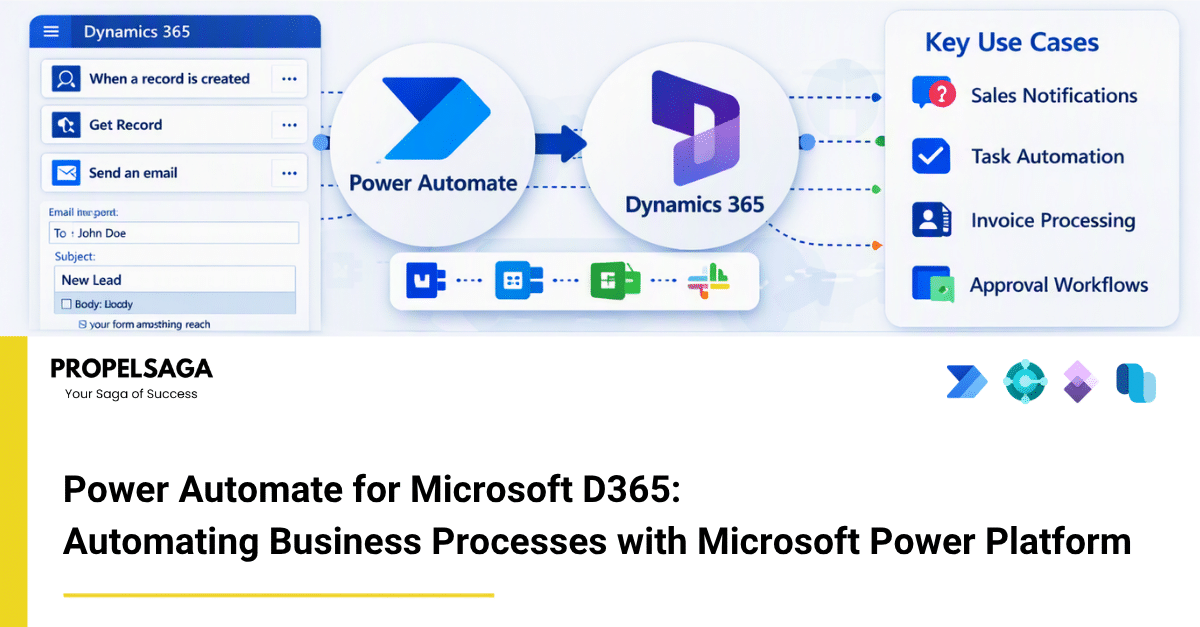
When integrated with Microsoft D365, it can trigger actions based on business events—for example, when a sales opportunity is created, an invoice is posted, a customer record is updated, or an approval is required.
These workflows can connect Microsoft D365 with applications such as Microsoft Teams, Outlook, SharePoint, Excel, and many third-party systems.
How Power Automate Works with Microsoft D365
A typical automation consists of three elements:
Trigger → Conditions → Actions
For example:
Trigger: A new sales opportunity is created in Microsoft D365 Sales.
Condition: The opportunity value is above a defined threshold.
Action: Send an approval request to the sales manager through Microsoft Teams or Outlook.
Once approved, Power Automate can automatically update the Microsoft D365 record and notify the relevant team.
This allows organizations to build repeatable processes without requiring every step to be performed manually.
Practical Use Cases
1. Sales Opportunity Notifications
When a high-value opportunity is created or reaches a specific stage, Power Automate can automatically notify sales managers through Teams or email.
2. Automated Approvals
Organizations can automate approval processes for discounts, purchase requests, expenses, customer onboarding, and other business activities.
3. Customer Follow-Ups
When an opportunity, case, or customer interaction reaches a particular stage, Power Automate can trigger reminders or create follow-up activities.
4. Customer Service Escalations
For Dynamics 365 Customer Service, workflows can automatically notify supervisors when cases remain unresolved for a defined period or meet specific priority criteria.
5. Document Automation
Power Automate can connect Microsoft D365 with SharePoint and other Microsoft services to automatically create, store, or distribute documents based on business events.
6. Cross-Application Integration
Businesses often use multiple applications alongside Dynamics 365. Power Automate can help connect these systems so information and actions can move between applications with less manual intervention.
Benefits of Power Automate for Microsoft D365
Reduced Manual Work
Repetitive tasks can be automated, reducing the need for employees to manually move information between systems.
Faster Processes
Automated notifications, approvals, and updates can reduce process delays.
Better Data Consistency
Automation can help ensure that defined processes are followed consistently and that records are updated at the right stage.
Improved Visibility
Teams can receive automated notifications and updates through tools they already use, such as Microsoft Teams and Outlook.
Scalable Automation
Organizations can start with simple workflows and gradually automate more complex business processes as their requirements evolve.
What Should Businesses Automate?
Not every process needs automation. Organizations should first identify activities that are:
- Repetitive
- Rule-based
- Time-consuming
- Dependent on manual notifications
- Prone to delays or data-entry errors
- Spread across multiple applications
Starting with these processes usually makes it easier to identify measurable automation opportunities.
Power Automate + Microsoft D365: Beyond Simple Workflows
Power Automate becomes more valuable when it is considered part of the broader Microsoft Power Platform ecosystem.
Microsoft D365 provides business applications and data, while Power Automate can orchestrate processes across Microsoft D365, Microsoft 365, Power Apps, and other systems.
This creates an opportunity for organizations to move from isolated applications toward more connected and automated business processes.
How PropelSaga Can Help
At PropelSaga, we help Microsoft D365 partners and organizations identify opportunities to improve business processes through Microsoft D365, Power Platform, integrations, and automation.
Our approach focuses on understanding the existing process first, identifying suitable automation opportunities, and implementing solutions that align with the organization's business requirements.
The objective is not simply to automate more processes—but to automate the right processes and create measurable operational value.
Conclusion
Power Automate can turn Microsoft D365 from a system used primarily for recording business information into a platform that actively supports business processes.
From automated approvals and customer follow-ups to notifications, integrations, and document workflows, organizations can reduce repetitive work and create more connected operations.
The key is to start with clearly defined business processes, identify where manual effort adds little value, and then use automation to make those processes faster, more consistent, and easier to manage.