
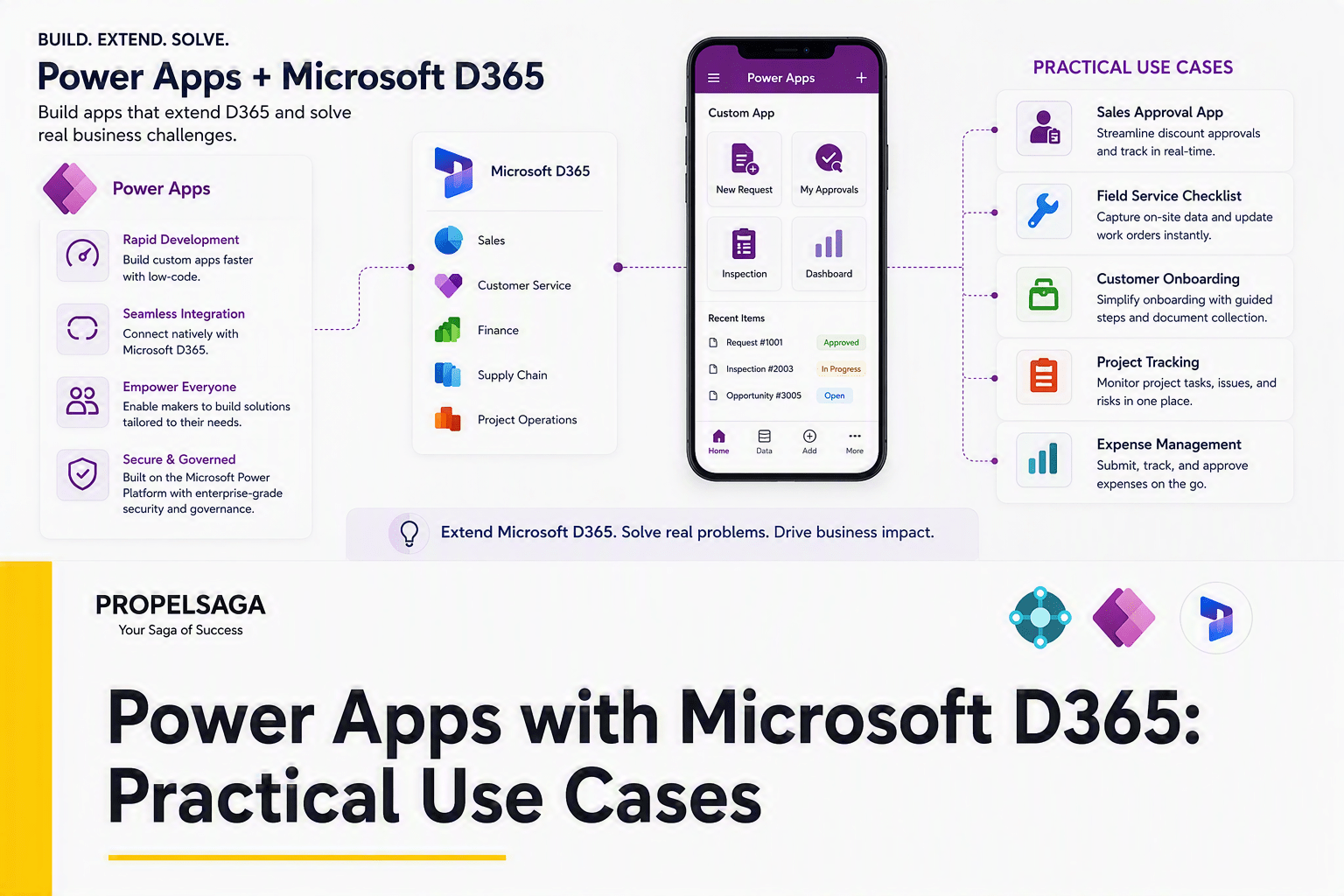
Microsoft D365 provides organizations with a powerful platform for managing sales, customer service, finance, operations, and other business processes. However, every business has processes that may not fit perfectly into standard Microsoft D365 functionality.
This is where Microsoft Power Apps can play an important role.
Power Apps allows businesses to create custom, low-code applications that can work with Microsoft D365 and Microsoft Dataverse. Instead of heavily customizing the core Microsoft D365 application for every requirement, businesses can use Power Apps to create focused solutions for specific teams and processes.
The result can be a more flexible and user-friendly Microsoft Business Applications environment.
Why Use Power Apps with Microsoft D365?
A common challenge with business applications is that different users have different requirements.
A sales manager may need complete CRM functionality, while a salesperson in the field may only need customer information, visit details, notes, and follow-up actions.
Similarly, a warehouse employee may need to check inventory or record stock information without navigating through the complete ERP system.
Power Apps can provide a simpler experience while still working with the organization's Microsoft D365 data and processes.
The goal is not to replace Microsoft D365, but to extend it where additional functionality or a different user experience is required.
Practical Use Cases
1. Sales Visit and Field Activity App
Sales teams frequently work outside the office and need a quick way to capture customer information.
A Power App can allow salespeople to:
- View customer information
- Record meeting and visit details
- Add notes and photographs
- Capture customer requirements
- Update follow-up activities
The information can then be connected with Microsoft D365 Sales, giving management better visibility while making data entry easier for the sales team.
2. Customer Onboarding
Customer onboarding often involves sales, finance, operations, and customer service.
A Power App can provide a structured onboarding process where teams can collect information, track documents, manage approvals, and monitor pending activities.
Instead of relying on spreadsheets and email communication, businesses can create a more structured and transparent process connected to their Microsoft D365 environment.
3. Approval Processes
Discount approvals, purchase requests, expense approvals, customer onboarding, and other business processes often involve multiple levels of approval.
Power Apps can provide a simple interface for submitting and tracking these requests, while Power Automate can be used to automate notifications and approval workflows.
This can reduce manual follow-ups and provide better visibility into the status of each request.
4. Warehouse and Inventory Activities
Warehouse employees typically need quick access to specific information rather than the complete ERP interface.
A Power App can be designed for activities such as:
- Inventory counting
- Stock checks
- Receiving confirmation
- Location or bin checks
- Item information lookup
- Issue reporting
For businesses using Microsoft D365 Business Central or Microsoft D365 Supply Chain Management, this can provide a focused experience while keeping the ERP as the central system.
5. Field Service and Inspections
Employees working at customer locations may need to collect information quickly and accurately.
A Power App can be used for inspections, service checklists, equipment information, photographs, issue reporting, and customer confirmations.
The collected information can then be connected to the organization's Microsoft D365 processes, helping field and back-office teams work with the same information.
6. Custom CRM Processes
Not every business process requires extensive customization of Microsoft D365.
For example, a company may have a unique partner registration process, lead qualification questionnaire, event follow-up process, or internal sales review.
Instead of significantly modifying the CRM, a Power App can provide a focused experience around that particular process while continuing to use Microsoft D365 as the central CRM platform.
Power Apps as an Extension to Microsoft D365
The real value comes from using the Microsoft ecosystem together.
For example:
Microsoft D365 Sales can manage customers, leads, and opportunities.
Power Apps can provide a specialized application for sales visits or customer onboarding.
Power Automate can automate approvals and notifications.
Power BI can turn the resulting data into management insights.
This creates a connected business environment rather than multiple disconnected applications.
However, businesses should not create a Power App for every requirement. Before development, it is important to determine whether the requirement can already be addressed through standard Microsoft D365 functionality, configuration, workflows, or existing Power Platform capabilities.
The right approach is to extend Microsoft D365 where it creates measurable business value while keeping the overall solution manageable and scalable.
How PropelSaga Can Help
At PropelSaga, we help Microsoft partners and businesses strengthen their Microsoft D365 and Power Platform capabilities.
Our team can support organizations with:
- Power Apps development and customization
- Microsoft D365 CRM extensions
- Business Central and Power Platform solutions
- Power Automate workflows
- Dataverse-based applications
- Integration and modernization initiatives
- Dedicated Microsoft D365 and Power Platform teams
- Application enhancement and ongoing support
For Microsoft partners, PropelSaga can also provide specialized Microsoft D365 and Power Platform delivery expertise to support projects that require additional technical capabilities or delivery capacity.
Our approach starts with understanding the business requirement and identifying whether the right solution is standard Microsoft D365 functionality, configuration, Power Apps, automation, integration, or a combination of these technologies.
Conclusion
Power Apps can be a valuable extension to Microsoft D365 when businesses need to address processes that are too specific for standard functionality or require a simpler user experience.
From sales visits and customer onboarding to warehouse activities, approvals, inspections, and custom CRM processes, Power Apps can help organizations create focused solutions while keeping Microsoft D365 at the center of their business applications landscape.
The objective should not be to build more applications. It should be to make business processes simpler, more connected, and more effective.
With the right approach, Power Apps and Microsoft D365 can work together to create a flexible Microsoft Business Applications ecosystem that can evolve with the business.
PropelSaga can help Microsoft partners and businesses turn these requirements into practical Microsoft D365 and Power Platform solutions.