
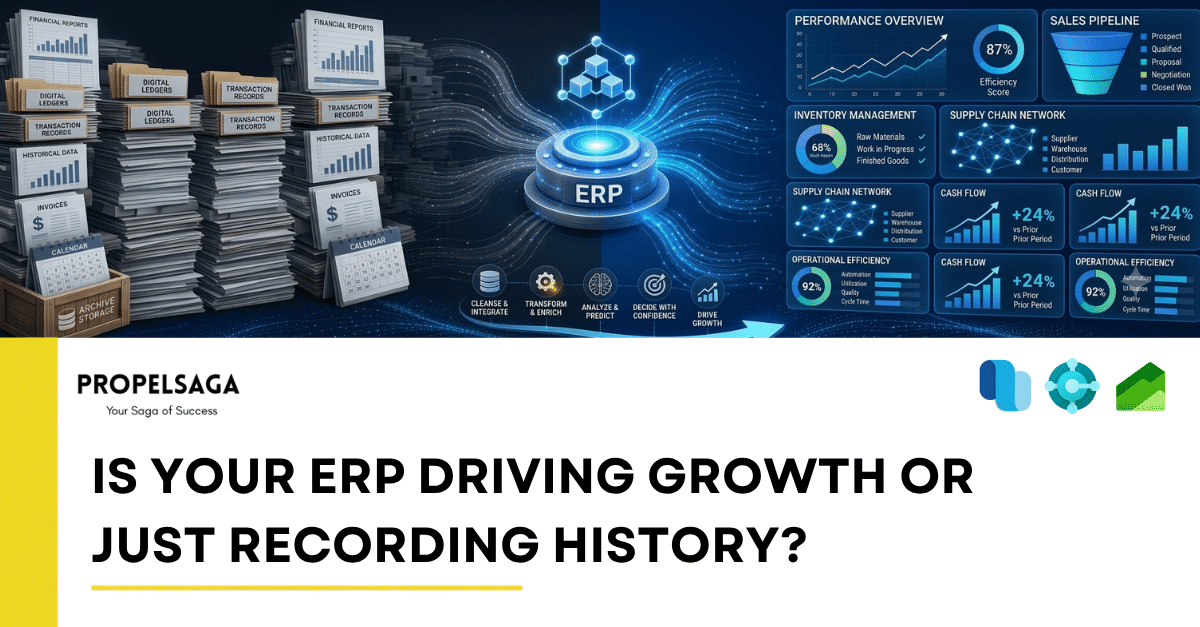
Your ERP Should Do More Than Tell You What Has Already Happened
Every business generates data. Sales transactions, purchase orders, inventory movements, financial entries, customer interactions, and operational reports create a continuous record of business activity.
An Enterprise Resource Planning (ERP) system brings much of this information together, helping businesses maintain accurate records, manage operations, and gain visibility into performance.
But here is an important question: Is your ERP helping your business decide what to do next, or is it simply telling you what has already happened?
For many organizations, an ERP system becomes a reliable system of record without evolving into a meaningful driver of business growth. Transactions are recorded, reports are generated, and historical performance is reviewed. Yet, critical decisions still depend on spreadsheets, manual analysis, disconnected applications, or individual experience.
The real value of an ERP lies not only in recording business activity but also in helping organizations understand their present position, anticipate future needs, and make better decisions.
1. Recording History Is Necessary, but Not Enough
An ERP system performs an essential role by maintaining structured, reliable business information. It helps answer questions such as:
- What were our sales last month?
- How much inventory did we have at the end of the quarter?
- Which customers have outstanding payments?
- What were our actual costs compared with the budget?
These answers are important. However, they primarily explain past performance.
A growth-oriented business needs to ask deeper questions:
- Which products are likely to experience increased demand?
- Where are we losing profitability, and why?
- Which customers or market segments offer the greatest growth potential?
- What operational bottlenecks could affect our next quarter?
- How can we improve cash flow before financial pressure builds?
The difference is significant. Historical reporting explains outcomes, while actionable insights help businesses influence future outcomes.
Your ERP should provide the foundation for both.
2. From Historical Reporting to Forward-Looking Decisions
Consider a business that reviews its inventory report and discovers that a popular product was out of stock for several days last month.
The ERP has accurately recorded inventory levels and sales transactions. However, the business has already lost potential sales.
Now imagine an organization that uses historical sales patterns, current inventory, supplier lead times, and demand forecasts to identify potential shortages earlier.
Instead of reacting after the problem occurs, the business can plan replenishment, coordinate purchasing, and reduce the risk of missed sales.
The same principle applies across departments.
Finance: Move beyond reviewing completed transactions to understanding cash-flow trends, profitability, and budget variances.
Supply Chain: Move beyond checking current stock to improving demand planning, procurement decisions, and inventory availability.
Sales: Move beyond reviewing completed orders to identifying sales trends, understanding customer behavior, and improving pipeline visibility.
Operations: Move beyond tracking completed activities to identifying bottlenecks, reducing delays, and improving resource utilization.
The objective is not to eliminate historical reporting. It is to use reliable historical information to make better decisions today.
3. The Hidden Cost of an Underutilized ERP
Many organizations have already invested significantly in ERP implementation, licensing, customization, and employee training. Yet, they may still rely on manual processes and disconnected tools to perform everyday analysis.
This creates a gap between the capabilities available in the system and the value the business actually receives.
Common warning signs include:
- Employees exporting ERP data into spreadsheets for routine analysis.
- Management waiting days for reports that should be readily available.
- Different departments maintaining separate versions of the same business data.
- Business decisions depending heavily on a few experienced employees.
- Recurring operational issues being identified only after they affect performance.
- New business requirements being addressed through manual workarounds rather than scalable processes.
- Valuable ERP features remaining unused because users are unaware of them or lack the right training.
These challenges do not necessarily mean the ERP platform is inadequate. Sometimes, the organization needs better configuration, improved data quality, stronger integration, more effective reporting, or greater adoption of existing capabilities.
Before investing in another system, businesses should examine whether they are fully utilizing the one they already have.
4. How Microsoft Dynamics 365 Can Help Move Beyond Historical Data
Modern ERP platforms offer capabilities that can help organizations turn business data into operational and strategic value. Microsoft Dynamics 365 provides a range of options depending on the products implemented, the organization's processes, and its data maturity.
Microsoft Dynamics 365 Business Central
Business Central helps businesses connect financial management, purchasing, sales, inventory, and other core operations.
With appropriate configuration, reporting, and analysis, organizations can gain better visibility into profitability, cash flow, inventory movements, and operational performance.
Rather than relying entirely on month-end reviews, management can use timely information to investigate variances, identify emerging issues, and make informed decisions.
Microsoft Dynamics 365 Finance and Supply Chain Management
For larger and more complex organizations, Dynamics 365 Finance and Supply Chain Management can support financial control, procurement, inventory management, planning, and supply chain operations.
When processes and data are structured effectively, these capabilities can help businesses improve operational visibility, evaluate performance, and respond more effectively to changing business conditions.
Microsoft Power BI
ERP data becomes significantly more useful when decision-makers can explore it through meaningful dashboards, trends, comparisons, and key performance indicators.
Power BI can help bring information from relevant business systems together, giving leadership teams a clearer view of performance across departments.
The goal is not to create more dashboards. It is to ensure that the right people can identify the right information at the right time.
Microsoft Copilot and AI Capabilities
AI capabilities across the Microsoft business applications ecosystem can help users interact with business information, summarize relevant data, automate selected tasks, and support analysis.
However, AI is not a substitute for reliable data, well-designed processes, or sound business judgment. Its value depends on the capabilities available in the specific product, the quality of underlying information, and how effectively the organization puts those capabilities to use.
The opportunity is to reduce the distance between identifying a business question and taking an informed action.
5. An ERP That Supports Growth Must Evolve With the Business
An ERP implementation should not be viewed as a project that ends at go-live.
As a business grows, its requirements change. Transaction volumes increase, new locations open, product portfolios expand, compliance requirements evolve, and management needs more sophisticated insights.
A system that supported a growing business two years ago may now require process improvements, integration, automation, or additional analytical capabilities.
Organizations should periodically evaluate their ERP across five dimensions:
- Data quality: Is the information accurate, consistent, and reliable?
- Process efficiency: Are workflows streamlined, or are employees compensating for system limitations through manual work?
- Reporting and visibility: Can decision-makers access meaningful information without unnecessary delays?
- System utilization: Are relevant standard features and available capabilities being used effectively?
- Scalability: Can the current ERP environment support future growth without creating unnecessary complexity?
This evaluation helps businesses distinguish between problems that require new technology and those that can be addressed through better use of existing investments.
6. The Next Step Is Not Always a New ERP
When an ERP system fails to deliver expected business value, replacing it may appear to be the most obvious solution. In reality, the answer may be much simpler.
An organization might need to optimize existing workflows, improve management reporting, integrate disconnected applications, automate repetitive activities, introduce appropriate AI capabilities, or improve employee adoption.
In other situations, a more substantial modernization may be necessary.
The right approach begins with business objectives, not technology features.
Ask your team:
- Which business decisions take longer than they should?
- Which recurring problems are visible in our ERP data but remain unresolved?
- Where are employees spending time collecting information instead of acting on it?
- Which processes are preventing us from scaling efficiently?
- Are we measuring the business outcomes our ERP was expected to improve?
The answers can help establish a practical roadmap focused on measurable business value rather than unnecessary complexity.
Conclusion: Make Your ERP Part of the Growth Strategy
An ERP system should provide more than an accurate account of yesterday's business activity. It should help organizations understand performance, recognize opportunities, improve processes, and prepare for what comes next.
Historical data remains essential, but its greatest value emerges when businesses use it to make better decisions and take timely action.
The question is not simply whether your ERP is working. It is whether your organization is getting enough value from it to support its next stage of growth.
At PropelSaga, we help Microsoft partners and their customers unlock greater value from the Microsoft Dynamics 365 ecosystem through ERP modernization, integrations, rapid deployment, project delivery, and ongoing application support.
If your ERP is recording your business history but not helping you move forward, it may be time to explore what more it can do.
Visit propelsaga.com to learn how we can support your Microsoft Dynamics 365 journey.
#MicrosoftDynamics365 #ERP #BusinessCentral #Dynamics365Finance #DigitalTransformation
#BusinessGrowth #PropelSaga