
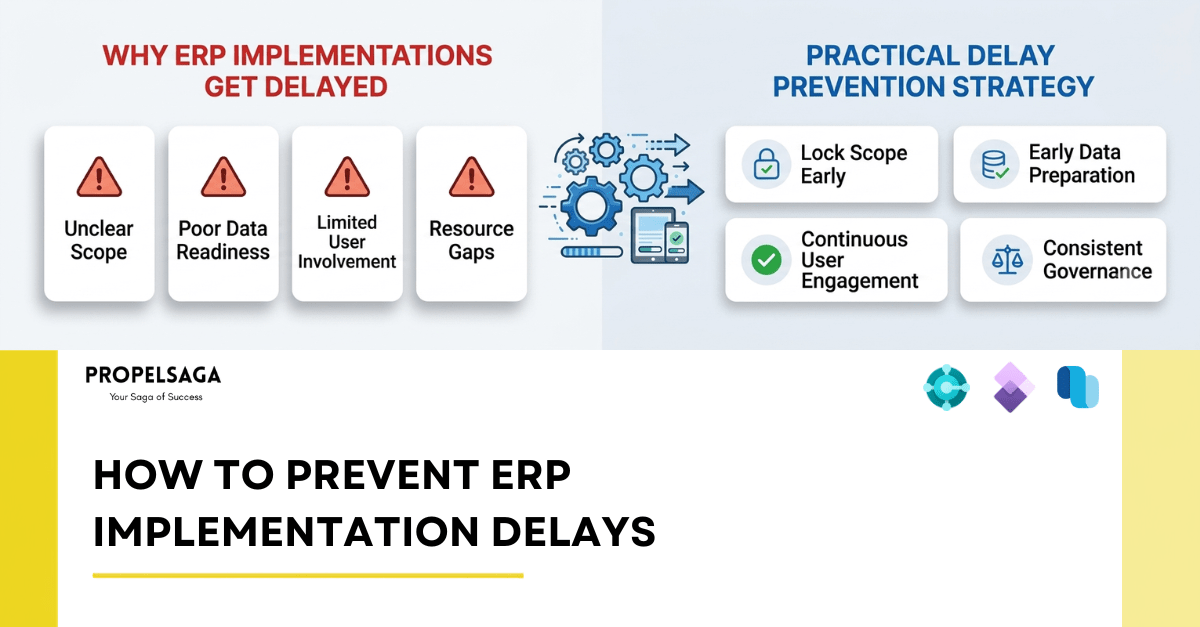
ERP implementations rarely get delayed because the technology simply does not work. More often, delays come from decisions that take too long, unclear requirements, unprepared data, limited business involvement, resource constraints, or issues that are discovered too late in the project. For businesses planning an ERP implementation, understanding where delays typically come from can help address them before they become major schedule issues.
WHY ORGANIZATIONS UNDERTAKE ERP IMPLEMENTATIONS
Most companies do not implement a new ERP system simply because they want new technology. There is usually a business problem behind the decision.
1. Disconnected Systems
Finance, purchasing, sales, inventory, warehouse, and operations may be running on different systems that do not communicate effectively.
2. Manual Processes That Do Not Scale
Spreadsheets, emails, and manual approvals may work when a business is small. As transaction volumes, employees, products, or locations increase, these processes become increasingly difficult to manage.
3. Compliance and Audit Requirements
Growing businesses may need stronger financial controls, better audit trails, regulatory reporting, or industry-specific processes that their existing systems cannot support effectively.
4. Mergers, Acquisitions, or Restructuring
When businesses merge, acquire another company, expand into a new market, or restructure their operations, existing systems may no longer support the new organization effectively.
5. Outgrowing the Current ERP
Sometimes the problem isn't a lack of a system — it's that the current one was right for the business at a smaller scale and isn't anymore. More entities, higher transaction volume, or new reporting demands can expose limitations that weren't visible five years ago. ERP is rarely the business goal. It is a mechanism for solving a business problem.
THE MOST COMMON CAUSES OF ERP IMPLEMENTATION DELAYS
1. Unclear or Changing Scope
One of the most common causes of ERP implementation delays is not having a clear understanding of what the project actually needs to deliver. A clear scope, documented requirements, and an agreed process for handling changes are therefore critical before development begins.
2. Poor Data Readiness
Data migration is one of the areas most frequently underestimated during ERP implementations. Legacy data may contain duplicates, incomplete records, inconsistent formats, outdated information, or structures that do not map directly to the new ERP. This involves customers, vendors, items, chart of accounts, opening balances, inventory, fixed assets, historical transactions, and other business information. If these decisions are left until late in the project, migration and testing can quickly become bottlenecks.
3. Limited Business and User Involvement
An ERP system changes how people perform their day-to-day work. Regular involvement from finance, procurement, sales, inventory, warehouse, production, and other relevant teams helps identify these gaps earlier. The earlier users provide feedback, the easier it is to make adjustments.
Feedback during design is an input. Feedback during UAT can become rework.
4. Resource and Skill Gaps
ERP implementations require time from both the implementation team and the customer's internal teams. The same applies to specialist ERP skills. A project may require expertise around functional configuration, development, data migration, integrations, reporting, testing, or legacy-system upgrades. If those skills are not available when required, even a well-planned project can slow down.
5. Misalignment Between Delivery Teams
ERP projects can involve the customer, implementation partner, specialist consultants, integration teams, ISVs, internal IT teams, and other delivery resources. When responsibilities are unclear, communication gaps can develop. Without clear answers, small coordination issues can remain unresolved and eventually affect the project schedule.
THE BUSINESS COST OF AN ERP DELAY
A delayed ERP implementation does more than move a go-live date. The impact can spread across the business.
- Additional Project Costs: A longer implementation can mean additional consulting hours, extended internal resource commitments, and continued costs associated with running legacy systems alongside the new ERP.
- Delayed Business Benefits: If automation, improved reporting, better financial visibility, inventory control, or process efficiency were key reasons for the ERP investment, those benefits are delayed.
- Operational Disruption: Teams may have to continue using existing systems, spreadsheets, manual workarounds, or temporary processes while waiting for the new ERP. This can increase manual effort and create additional opportunities for errors.
- Reduced Stakeholder Confidence: Repeated changes to timelines can make it harder to maintain confidence among business users, management, and project sponsors.
The visible cost of a delay is the additional project time. The less visible cost is the business value that remains unrealized while the organization waits.
HOW TO PREVENT ERP IMPLEMENTATION DELAYS
1. Lock the Scope Before You Build
Spend enough time during discovery and design to understand what the solution needs to deliver.
Document the agreed requirements, business processes, integrations, reports, customizations, and key assumptions. More importantly, establish a clear process for handling changes after the scope has been approved. Not every change needs to be rejected, but every change should be evaluated for its impact on cost, resources, dependencies, and timeline.
2. Establish Clear Ownership
Every major workstream should have a clearly identified owner. There should also be a clear process for making decisions and resolving issues. A question that remains unanswered for two weeks is not a small issue. It can become a two-week project delay.
3. Start Data Preparation Early
Do not wait until development is nearly complete to start thinking about migration.
Assess the legacy data early. Identify duplicates, missing information, obsolete records, mapping issues, and data ownership. Run trial migrations well before go-live so that problems can be identified while there is still time to resolve them.
4. Involve End Users Throughout the Project
Do not wait for UAT to ask users whether the system works for them. Bring key users into design workshops, process discussions, demonstrations, and early testing. This is particularly important for processes that cross multiple departments. The people performing the work every day often identify practical issues that are not visible from a project plan or requirements document.
5. Run Change Management Alongside the Implementation
Training material, process documentation, user communication, and adoption activities should develop alongside the solution — not follow behind it. Building this alongside the solution also allows training content to evolve as the ERP takes shape, rather than being created at the last minute.
6. Plan Resources Around the Project
A project plan is only realistic if the required people are actually available. If there is a skill or capacity gap, address it early rather than waiting until the project reaches a bottleneck.
7. Protect the Testing Window
When earlier activities run late, there is often pressure to reduce the testing period to protect the go-live date. This can be risky. A short delay before go-live can sometimes be less disruptive than discovering critical issues after users have moved to the new ERP.
8. Keep Governance Simple but Consistent
Good governance does not necessarily mean more meetings. It means having the right conversations at the right time. The objective is simple: identify problems early, assign ownership, and make decisions before they become blockers.
A SIMPLE ERP DELAY-PREVENTION CHECKLIST
Before an ERP implementation moves into full-scale delivery, business leaders should be able to answer “yes” to most of these questions.
Scope
- Is the project scope clearly documented?
People
- Are business owners assigned to each major workstream?
Data
- Has legacy data been assessed?
Testing
- Is there enough time for testing?
Governance
- Is there a clear decision-making structure?
FINAL THOUGHTS
ERP implementation is not simply a technology project.
The best way to protect an implementation timeline is therefore not to focus only on the go-live date. It is to build the right conditions for reaching that date.
Clear scope.
Prepared data.
Available resources.
Active business involvement.
Adequate testing.
Clear ownership.
Consistent governance.
These fundamentals may not be the most exciting part of an ERP project, but they are often what keeps the project moving.
WHERE PROPELSAGA FITS IN
PropelSaga works with Microsoft Partners to deliver ERP projects end to end. We can take complete project ownership and deliver the implementation under the partner's brand, or support specific project requirements with experienced ERP resources.
Whether you need a delivery partner for an entire ERP engagement or additional expertise to strengthen your existing team, PropelSaga can provide the delivery capability to keep the project moving.