
Most Microsoft D365 projects that struggle doesn’t struggle because of the software. They struggle because the organization wasn't ready for what the software would ask of it.
Microsoft Dynamics 365, whether it's Business Central, Finance & Operations, or Customer Engagement, tends to reflect a business back at itself. Unclear processes, messy data, and lukewarm buy-in don't get fixed by the system; they get exposed by it, usually within the first month.
The good news: this is almost entirely preventable with the right groundwork. Here are few areas worth getting right before a single line of the project plan is written.
1. Set Clear Objectives and Define Success
Implementations often start with a features conversation like "we need better inventory tracking," "we want real-time reporting." That's a symptom, not a goal.
Before engaging any partner, leadership should agree on the actual business outcome being pursued: faster financial close, eliminating manual reconciliation, real-time visibility instead of month-end surprises, or readiness to scale into new markets.
It helps to define success in measurable terms, not "better reporting," but "monthly close in 3 days instead of 10." This becomes the reference point when scope discussions get difficult later, and the yardstick for whether the project actually delivered.
2. Build the Right Internal Team
Internal team availability is one of the strongest predictors of project success. Implementation quality depends heavily on the time and knowledge the client's own people can contribute — they're the ones who actually understand the business.
At minimum, this means:
- The Stakeholders who can make decisions and clear roadblocks
- A Project Lead who can commit real, dedicated hours
- Process Champions across departments who can validate design decisions
If these people are also expected to run the business at full capacity during the project, delays are almost guaranteed. Backfill or reduced workload for the core team is a budget line that's easy to overlook.
3. Figure Out Your License Requirements
Microsoft D365 licensing is modular; different apps and user types (Full users vs. Team Members, for example) carry different costs and capabilities. Getting this wrong is costly in either direction: under-licensing leaves key users unable to do what the design assumes, while over-licensing means paying for capability nobody uses.
Licensing should be mapped to actual job workflows, not job titles. A manager who only views dashboards has very different needs from one actively processing transactions. This also feeds directly into budget planning.
4. Choose the Right Implementation Partner
The lowest bid rarely means the lowest total cost. The right partner asks hard questions about the business before proposing a solution, brings genuine industry experience, and is upfront about realistic timelines and budgets. Pushback on unrealistic scope is usually a sign of experience, not obstruction.
It's also worth confirming who will actually be doing the work, the specific team assigned, not just the company's overall track record. Consultant continuity through the project matters more than most organizations expect going in.
5. Conduct a Process Review and Gap Analysis
This is where design work really begins, and it has three parts:
- Map current processes as they actually happen, not as documented, not as the best-case scenario, but including the workarounds and exceptions that rarely make it into a manual.
- Identify what's out-of-the-box versus what needs customization or integration. Some gaps are best closed by adapting to Microsoft D365's native capability, usually cheaper and easier to maintain long-term. Others genuinely require customization or integration with existing systems (CRM, e-commerce, banking solutions, legacy tools). Getting this distinction right early keeps scope from spiraling later.
- Plan for BI and AI from the start. Power BI reporting and embedded AI capabilities like Copilot are increasingly core to Microsoft D365 projects, not add-ons. Deciding early what data leadership actually needs and where AI could meaningfully save time, shapes both the data model and licensing, and is far cheaper to design in than to bolt on later.
6. Prepare Your Data for Migration
Data migration is consistently underestimated, and it's rarely a technical problem; it's an organizational one. Questions worth asking early:
- How many "active" customers or vendors actually exist, versus duplicates and dead records?
- Who owns data quality today?
- Is historical data being migrated because it's needed, or out of habit?
Starting data cleansing months ahead of implementation, rather than during it, consistently pays off; a week spent cleaning data early tends to save several weeks of pain later.
7. Plan for User Training and Change Management
The biggest risk to a Microsoft D365 implementation is often human, not technical. New screens and new steps meet resistance when people aren't brought along on the "why", resulting in workarounds and shadow spreadsheets long after go-live.
Effective change management starts early: communicating the reasoning across the organization (not just to leadership), involving informal influencers in each department, and building role-based training delivered close to go-live rather than generic training delivered too early.
8. Set a Realistic Timeline and Budget
Rushed timelines and undersized budgets are the two most common sources of project trouble. Easy-to-underestimate costs include internal team time, data cleansing effort, and training; often the first line item cut when budgets tighten, and the first thing that becomes a visible problem post-go-live.
A stabilization period after go-live, where productivity dips before it improves, is normal and should be planned for rather than treated as a surprise.
The Bottom Line
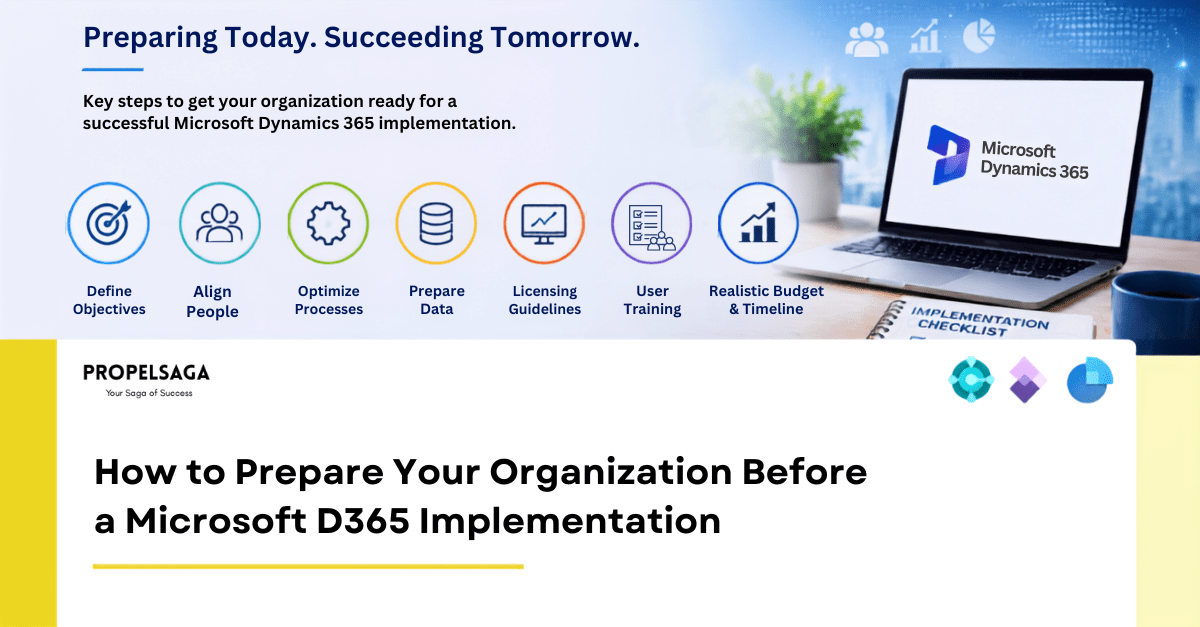
Microsoft D365 doesn't fix broken processes, messy data, or organizational misalignment; it exposes them. Organizations that get the most value from implementation are rarely the ones with the most complex technical requirements. They're the ones that handled the groundwork first: clear objectives, the right internal team, correct licensing, the right partner, a thorough gap analysis, clean data, real change management, and a realistic budget.
Get that right, and the technical implementation becomes the easy part.
Lay the Groundwork for Implementation with PropelSaga.
At PropelSaga, our expert team can provide the consultation, planning, and support your organization needs to make its Microsoft Dynamics 365 implementation project a successful one.
From defining clear objectives and conducting a thorough process and gap analysis, to data readiness, licensing guidance, and change management planning; we help organizations get the groundwork right before implementation begins, not after gaps become expensive to fix. Our team works alongside yours as an extension of your project, bringing the delivery experience to turn readiness into a smooth, well-executed go-live.
If your organization is considering a Microsoft Dynamics 365 implementation, let's talk about what preparation looks like for your specific business.