
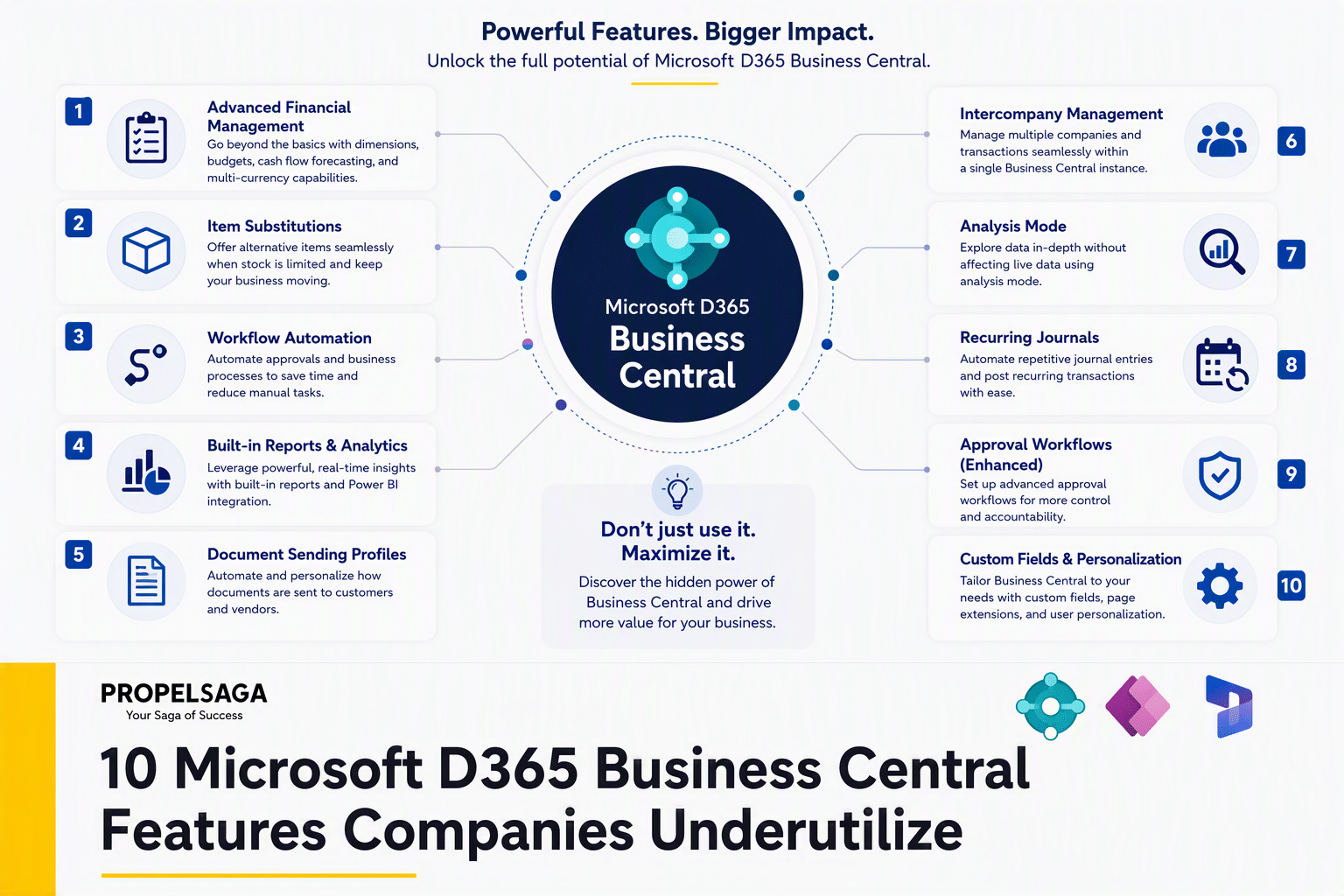
Microsoft D365 Business Central offers much more than core financial management and accounting. Many organizations use Microsoft D365 Business Central for daily transactions but do not fully utilize features that can improve automation, visibility, collaboration, and decision-making.
Here are 10 Microsoft D365 Business Central features that companies often underutilize.
1. Workflows and Approvals
Microsoft D365 Business Central allows organizations to automate approval processes for areas such as purchase orders, payments, sales documents, and journal entries.
Instead of relying on emails or manual follow-ups, businesses can define approval rules based on users, amounts, departments, or other conditions.
Business benefit: better control, faster approvals, and fewer manual follow-ups.
2. Dimensions for Better Reporting
Dimensions allow businesses to categorize transactions using information such as department, project, location, business unit, or cost center.
When configured properly, dimensions can provide more detailed financial analysis without creating an unnecessarily complex chart of accounts.
Business benefit: More flexible reporting and better visibility into business performance.
3. Recurring Journals
Recurring journals can automate transactions that occur regularly, such as rent, subscriptions, accruals, and other periodic entries.
Instead of entering the same information every month, users can establish recurring journal templates and automate repetitive accounting activities.
Business benefit: Reduced manual work and fewer data-entry errors.
4. Account Schedules
Account Schedules provide a flexible way to create customized financial reports directly within Business Central.
Organizations can use them to analyze revenue, expenses, profitability, budgets, and other financial information according to their specific reporting requirements.
Business benefit: Faster access to management-level financial insights.
5. Bank Reconciliation Automation
Bank reconciliation does not always need to be a completely manual activity. Microsoft D365 Business Central provides functionality to import bank information and match transactions against ledger entries.
With appropriate setup and processes, finance teams can reduce the time spent comparing bank statements with accounting records.
Business benefit: Faster reconciliation and improved financial accuracy.
6. Job and Project Management
Businesses often use Microsoft D365 Business Central primarily for finance and operations while managing projects separately through spreadsheets.
Microsoft D365 Business Central includes capabilities for tracking project budgets, costs, resources, tasks, and profitability.
Business benefit: Better control over project costs and profitability.
7. Item Tracking
For businesses dealing with inventory, item tracking can provide detailed visibility through serial numbers, lot numbers, and expiration information.
This can be particularly valuable for industries where traceability and inventory control are important.
Business benefit: Improved traceability, inventory accuracy, and operational control.
8. Planning and Replenishment
Microsoft D365 Business Central includes planning capabilities that can help organizations determine what inventory is required, when it should be purchased or produced, and in what quantity.
When properly configured, planning can reduce dependency on manual spreadsheets and individual experience.
Business benefit: Better inventory availability while reducing unnecessary stock.
9. Power BI Integration
Microsoft D365 Business Central can work with Microsoft Power BI to provide richer dashboards and analytics.
Instead of extracting data into spreadsheets for every management review, organizations can connect operational and financial data to interactive reports and dashboards.
Business benefit: Better visibility and faster data-driven decision-making.
10. Copilot and AI Capabilities
Microsoft continues to introduce AI-powered capabilities into Business Central to assist users with tasks such as content creation, analysis, forecasting, and other business processes.
However, simply having AI available does not create value. Organizations need to identify relevant use cases and ensure their data and processes are ready to support them.
Business benefit: Reduced manual effort and greater productivity when AI capabilities are applied to suitable processes.
Getting More Value from Business Central
Business Central can become much more than an accounting or transaction-processing system. Features such as workflows, dimensions, planning, reporting, automation, Power BI, and AI can help organizations improve how they operate and make decisions.
The key is not to activate every available feature. Instead, organizations should identify where manual work, limited visibility, process bottlenecks, or disconnected information are affecting business performance.
How PropelSaga Can Help
PropelSaga helps Microsoft Dynamics 365 partners and businesses maximize the value of Business Central through implementation support, functional and technical expertise, integrations, rapid deployment, managed services, and dedicated Business Central capabilities.
From optimizing existing Business Central environments to supporting new implementations and enhancement projects, the right expertise can help organizations move beyond basic ERP usage and get more value from the platform.